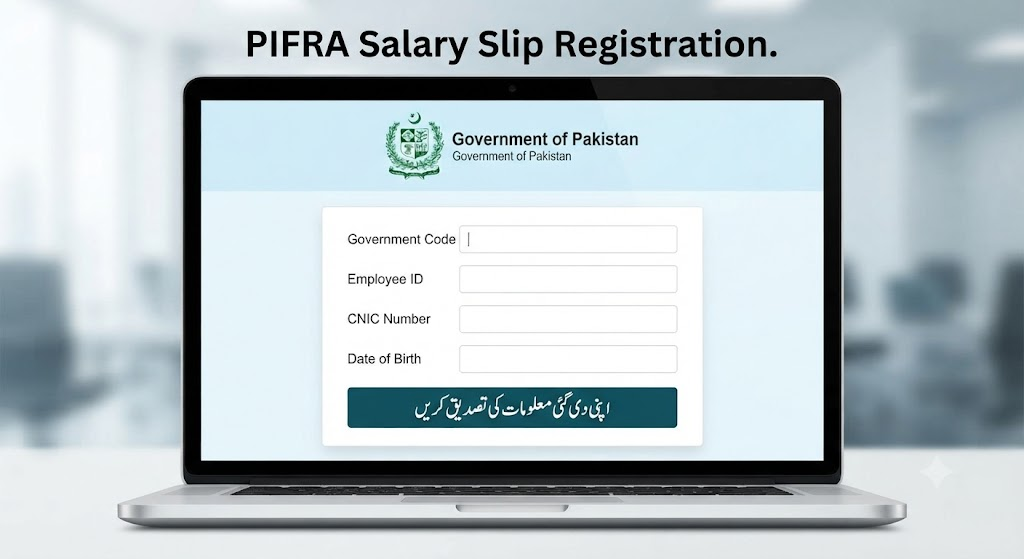
Welcome to MPIFRA, your trusted source for PIFRA Salary Slip Online Registration, DDO BER, Employee’s Personnel Number, Bill Status Tracking, and AGPR-related services. We provide easy-to-follow, up-to-date guides that help government employees across Pakistan access important payroll and financial services without confusion.
Whether you’re registering for a PIFRA salary slip, checking your monthly pay slip, tracking government bills, viewing DDO BER budget details, or learning about AGPR procedures, our step-by-step tutorials make every process simple and straightforward.
Our goal is to provide accurate information, updated for 2026, so you can complete your registration, manage salary-related records, understand vendor numbers, monitor bill status, and stay informed about the latest PIFRA and AGPR updates—all in one place.
MPIFRA is a comprehensive information platform that helps Pakistan government employees understand and access PIFRA services with ease. Through the PIFRA salary slip system, registered employees can receive their monthly salary slips directly in their registered email accounts, making payroll information available anytime and anywhere.
Instead of visiting government offices to obtain salary details, eligible employees can complete the PIFRA online registration process and receive their monthly pay slips electronically. Our detailed guides also explain how to check DDO BER budget and expenditure reports, track government bill status, understand Employee’s Personnel Number, and manage other AGPR-related services.
The PIFRA salary slip facility is widely used by employees working in various government departments across Pakistan, including teachers, lecturers, professors, doctors, nurses, engineers, clerks, office assistants, police personnel, and other federal and provincial government staff. Once successfully registered, employees can conveniently access their salary information through their registered email without unnecessary paperwork.
At MPIFRA, we provide accurate, regularly updated, and easy-to-follow tutorials covering PIFRA Salary Slip Registration, Pay Slip Services, Bill Tracking, DDO Budget Reports, Vendor Number Guides, AGPR Information, and other essential payroll resources. Our mission is to make government financial services easier to understand through reliable and user-friendly content.
What is PIFRA?
PIFRA (Project to Improve Financial Reporting and Auditing) is a Government of Pakistan initiative designed to modernize financial management, payroll, and accounting systems for public sector organizations. Through this system, eligible government employees can register to receive their monthly salary slips directly in their registered email accounts, making salary information easy to access without visiting government offices.
Once your registration is successfully completed, your monthly pay slip is delivered automatically to your email whenever it is issued. The platform also provides access to useful payroll-related services, including DDO BER (Budget & Expenditure Reports), government bill status tracking, and other financial information for authorized users.
Before the introduction of PIFRA, many employees had to rely on manual procedures to obtain their salary details, which often caused delays and inconvenience. Today, the digital system has made the process much faster, more transparent, and easier to manage.
PIFRA is widely used by employees serving in different government departments across Pakistan, including teachers, lecturers, engineers, police personnel, clerks, office assistants, professors, doctors, nurses,superintendents, and other federal and provincial government staff. By registering for the service, employees can conveniently receive their salary statements online and stay informed about their payroll records.
At MPIFRA, we provide comprehensive guides on PIFRA Salary Slip Registration, DDO BER, Employee’s Personnel Number, AGPR services, Bill Status Tracking, Vendor Numbers, and other government payroll resources. Our step-by-step tutorials are regularly updated to help users understand and use PIFRA services with confidence.
PIFRA (Project to Improve Financial Reporting and Auditing) is an initiative of the Government of Pakistan to strengthen financial reporting, auditing, and public financial management. It provides online access to financial information, including government budget expenditures, DDO BER (Budget & Expenditure Reports), departmental financial records, and other authorized financial services. The platform helps improve transparency, accuracy, and efficiency in managing public financial data.
Receive your monthly salary slip automatically in your registered email after successful PIFRA registration.
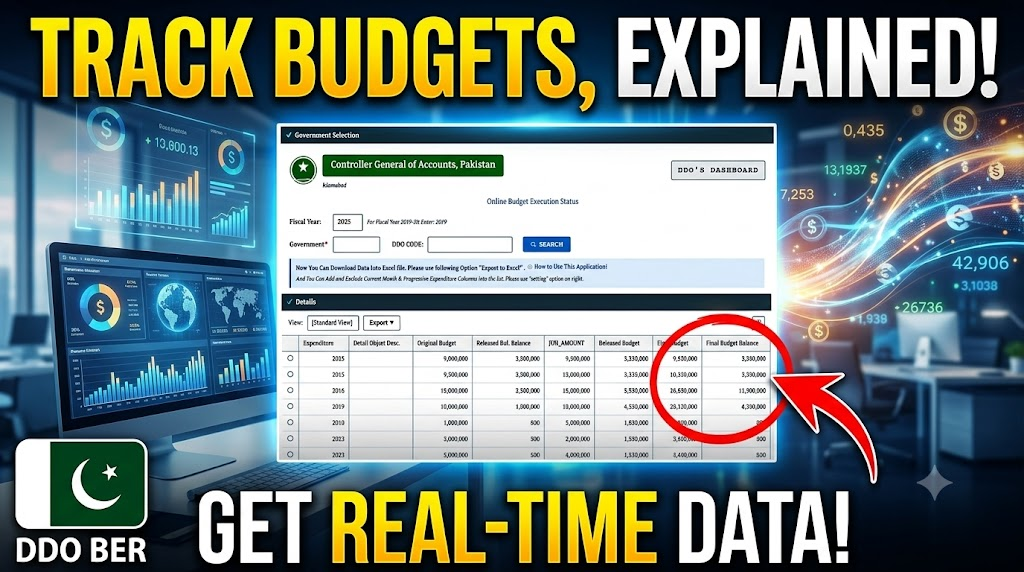
Access DDO Budget and Expenditure details by entering the relevant DDO Code.
Supports transparent financial reporting and efficient public financial management.
View your department’s budget information online using the assigned DDO Code.
A PIFRA salary slip is an official monthly payroll statement issued to government employees in Pakistan. It provides a detailed breakdown of salary components, including basic pay, allowances, deductions, GPF balance (where applicable), income tax, house rent allowance, medical allowance, and other approved benefits. The salary slip helps employees review their monthly earnings and deductions in a clear and organized format. Below is a sample salary slip for reference.
The platform is designed with a simple and user-friendly interface, allowing visitors to navigate every section with ease. It provides organized access to important PIFRA services, salary slip information, DDO budget details, bill tracking, and other government financial resources.
Registering for the PIFRA Salary Slip service is a simple online process. Once your registration is completed successfully, your monthly salary slip can be delivered to your registered Gmail account. Since internet access is now widely available across Pakistan, government employees can easily complete the registration process using a smartphone, laptop, or desktop computer.
Before starting the registration, keep the required information ready to avoid any errors during the application process.
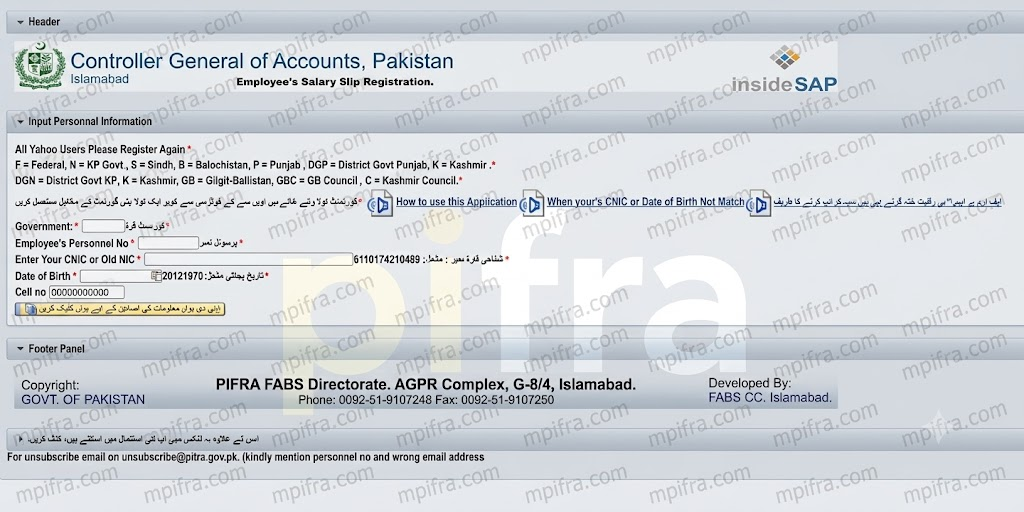
Choose the appropriate Government Code based on your department or province, such as F (Federal), P (Punjab), S (Sindh), B (Balochistan), K (AJK), or other applicable codes.
5. Mobile Number
Enter an active mobile number registered in your name so it can be used for communication if required.
6. Province
Select the province or administrative department where you are currently serving. Federal employees should choose the Federal option regardless of their posting location.
7. Date of Birth
Enter your complete date of birth in the required format exactly as recorded in your official documents.
8. Valid Gmail Address
Provide a valid Gmail address that you regularly use. Your monthly salary slip will be sent to this email after successful registration.
To complete your PIFRA Salary Slip Online Registration, you must select the correct Government Code based on your department or region of service. Choosing the appropriate code helps ensure your registration details are processed correctly.
Government Codes Directory
Department / Region
Registration Code
Federal Government
F
Punjab Government
P
Sindh Government
S
Khyber Pakhtunkhwa (KP)
N
Balochistan Government
B
Gilgit-Baltistan
GB
District Government Punjab
DGP
Azad Jammu & Kashmir (AJK)
K
District Government Khyber Pakhtunkhwa
DGN
Gilgit-Baltistan Council
GBC
Kashmir Council
C
Note: Before submitting your registration form, verify that you have selected the correct Government Code according to your employing department or administrative region. Using the wrong code may delay the registration process.
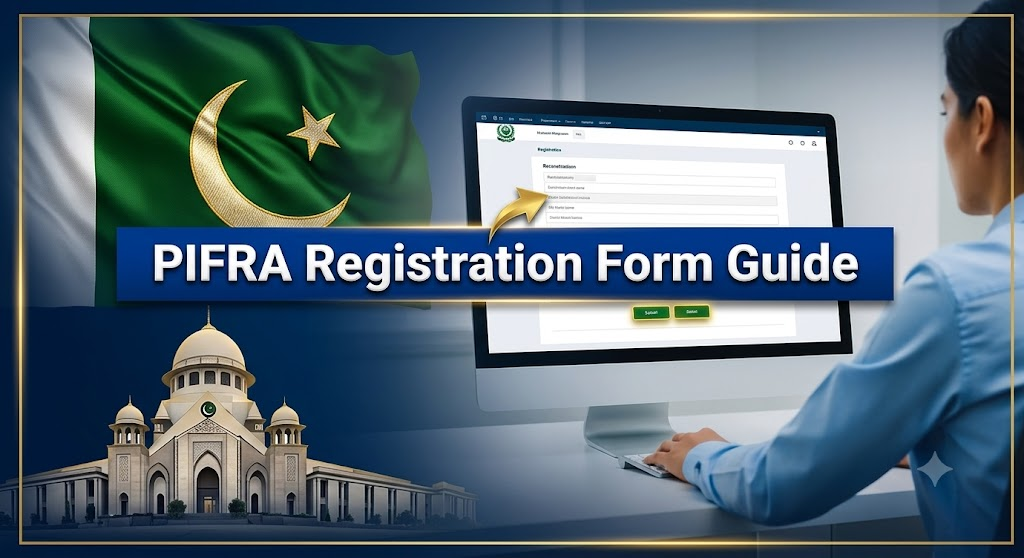
After preparing all the required details, you can begin the PIFRA Salary Slip Online Registration process by following these simple steps.
Open your preferred web browser and access the official PIFRA salary slip registration page.
From the homepage, navigate to the Services section and select Online Salary Slip Registration to open the registration form.
Choose the correct Government Code according to your department or province. If you are unsure, refer to the Government Code list provided above.
Type your Employee’s Personnel Number exactly as recorded in your official service documents.
Enter your 13-digit CNIC number without spaces or hyphens.
Provide your date of birth in the required format displayed on the registration form.
Verify that all the information is accurate, then click the Sign Up or Register button to submit your registration request.
Once your registration is successfully processed, your monthly PIFRA salary slips will be sent to your registered Gmail address whenever they are issued.
After completing the registration form and verifying your details, the final step is to provide your Gmail address. Enter your active Gmail account carefully and confirm it by typing the same email address again in the confirmation field.
Once both email entries match, click the Submit button to send your registration request. If all the information is correct, your application will be processed successfully, and a confirmation message will appear on the screen.
After successful registration, your monthly PIFRA salary slips will be delivered directly to your registered Gmail account whenever they are issued, allowing you to access your salary information online quickly and conveniently.
After submitting your registration request, your monthly salary slip will normally be sent to your registered Gmail account once it is processed. If you want to verify whether your registration has been completed successfully, you can easily check it.
Visit the official PIFRA Salary Slip Registration page and enter the same registration details you used previously. If your account is already registered, the system will display a message indicating that your registration already exists.
This confirmation lets you know that your registration has been completed successfully. If you need to update your registered Gmail address later, you can follow the official email change procedure provided by PIFRA.
Once your PIFRA Salary Slip Registration is successfully completed, there is no need to register again. Your monthly salary slip will be sent automatically to your registered Gmail account whenever it is issued by the relevant department.
In most cases, salary slips are delivered towards the end of the month or during the first few days of the following month, depending on the payroll processing schedule.
If you no longer wish to receive salary slips by email or need to update your subscription preferences, you can follow the instructions provided in the official PIFRA email or use the appropriate contact method available through the official PIFRA portal.
After your monthly PIFRA salary slip is issued, it will be delivered to your registered Gmail account as a PDF document. To access your payslip, open your Gmail inbox and download the attached PDF file.
You can view the file on a computer, laptop, tablet, or smartphone using any PDF reader application, such as Adobe Acrobat Reader or another compatible PDF viewer. Once opened, you can read, save, or print your salary slip whenever needed.
If you experience any issues related to PIFRA Salary Slip Registration, monthly salary slips, or other PIFRA services, you can contact the relevant support office using the details below.
Note: Contact information may change over time. It is always recommended to verify the latest support details through the official PIFRA website before contacting the department.
The PIFRA Salary Slip system has simplified payroll services for government employees by providing convenient online access to monthly salary slips and related financial information. Through this initiative, employees from various government departments—including teachers, doctors, clerks, office staff, and other public servants—can receive their salary slips electronically after successful registration.
As Pakistan continues to adopt digital financial management systems, services such as PIFRA, AGPR, and DDO BER contribute to greater transparency, improved record management, and easier access to payroll information. MPIFRA is committed to providing accurate, up-to-date, and easy-to-understand guides to help users make the most of these online services.
Visit the PIFRA registration portal, enter your personal and employment details, provide your official email address, and submit the registration form. Once verified, your email will be linked to receive salary slips.
How can I get my PIFRA pay slip?
If your email is registered with PIFRA, your monthly salary slip is automatically sent to your inbox. You can also check your Spam or Junk folder if you don’t receive it.
How do I unsubscribe from PIFRA salary slips?
To unsubscribe, submit an unsubscribe request through the official PIFRA service or contact your department’s accounts office to remove your registered email.
How do I change my email address in PIFRA?
You can update your email by submitting a new registration or email change request with your correct employee details through the official PIFRA process or your department.
How do I delete my PIFRA account?
PIFRA does not provide a separate account deletion option because it is an email registration service. You can request the removal of your registered email by contacting the relevant authority or submitting an unsubscribe request.What is the Government Code in PIFRA?
What is the Government Code in PIFRA?
The Government Code is the unique code assigned to your department or organization. It identifies your government office during PIFRA registration and is usually available from your department’s accounts office or administration.
Your partner for thorough, reliable home inspections.