
For hundreds of thousands of government employees and pensioners across Pakistan, receiving a monthly salary slip directly in their email inbox through the Project for Improvement of Financial Reporting and Auditing (PIFRA) is an essential routine. It offers a clear, transparent record of basic pay, allowances, deductions, and monthly net payouts.
However, when salary slips suddenly stop arriving for consecutive months—or when you register a brand-new account after changing your email address and nothing appears—it naturally creates frustration and concern.
Whether you are missing pay statements from previous months, switching your email address, or trying to understand recent system alerts, this detailed guide breaks down why these issues occur and provides clear, step-by-step solutions to resolve them.
A very common problem faced by employees happens during an email change. You might delete your old PIFRA profile and register a new email ID on the portal, expecting the system to immediately send slips to your new inbox. Yet, weeks pass, and no email arrives.
The PIFRA database is directly linked with the master payroll records maintained by your respective Accounts Office, District Accounts Office (DAO), Accountant General (AG), or Accountant General Pakistan Revenues (AGPR).
When you sign up online, the system checks whether your Personal Number (Pay Roll Number) is already locked to a registered email address. Simply re-registering on the front-end portal does not automatically remove your previous email from the master record at the AG Office.
To activate a new email ID successfully, your old email address must be formally delimited (deleted/unlinked) from your profile in the central Accounts Office database:
- Visit or Contact Your Concerned Accounts Office / AG / AGPR: Request the payroll section to delimit or clear your old email address registered against your Personal Number.
- Provide Verification Credentials: Submit your Personal Number, CNIC, and current department details to confirm your identity.
- Re-Register on PIFRA: Once the Accounts Office confirms that your old record has been unlinked, perform a fresh registration on the PIFRA portal using your new email address. Your new email will activate smoothly, and monthly slips will resume.
If you haven’t changed your email address but noticed that salary slips for several consecutive months (such as December, January, February, or March) are missing, you are not alone. Thousands of employees across different departments periodically face non-receipt of pay slips due to centralized server updates and database maintenance.
According to recent announcements regarding PIFRA system updates, server maintenance and database optimizations caused temporary dispatches of pay slips and change alerts to stall for many employees.
- The Good News: The system has been updated.
- What to Expect: Following system updation cycles (effective post-August 1st), the automated system resumes sending all remaining (pending) pay slips, current monthly statements, and pay change alerts automatically.
If your missing slips coincide with a system maintenance period, you do not need to panic. The backend queue will release the pending statements once batch delivery completes.
3. Practical Troubleshooting: How to Resolve Missing Slips
If your account is active and no maintenance outage is ongoing, but you are still not receiving slips, follow these troubleshooting methods to restore your service:
Method A: The Unsubscribe and Re-Activate Workaround
One of the most effective quick fixes shared by experienced users is resetting your registration state.
- Unsubscribe Your Account: Visit the official PIFRA registration page and select the unsubscribe option for your registered email.
- Wait for Server Refresh: Allow 24 to 48 hours for the system cache to clear your active session.
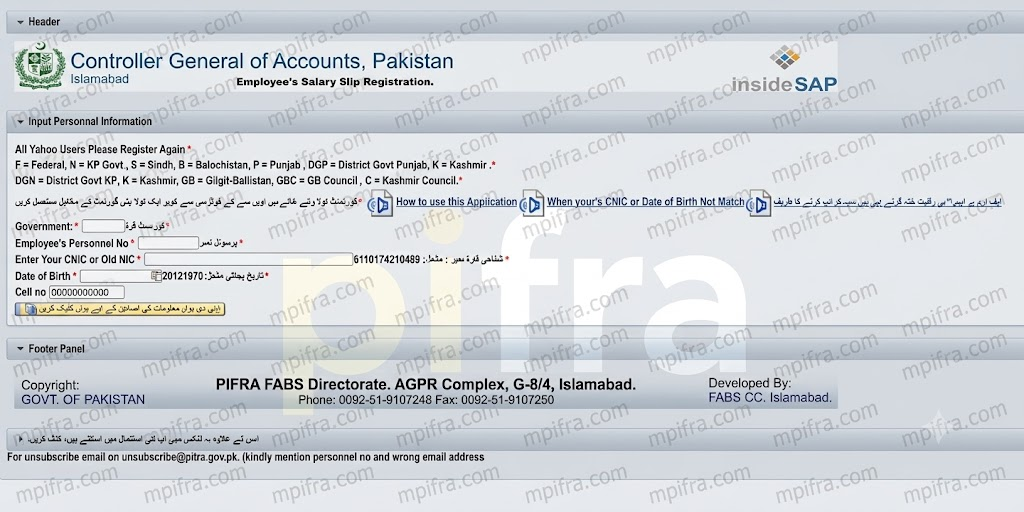
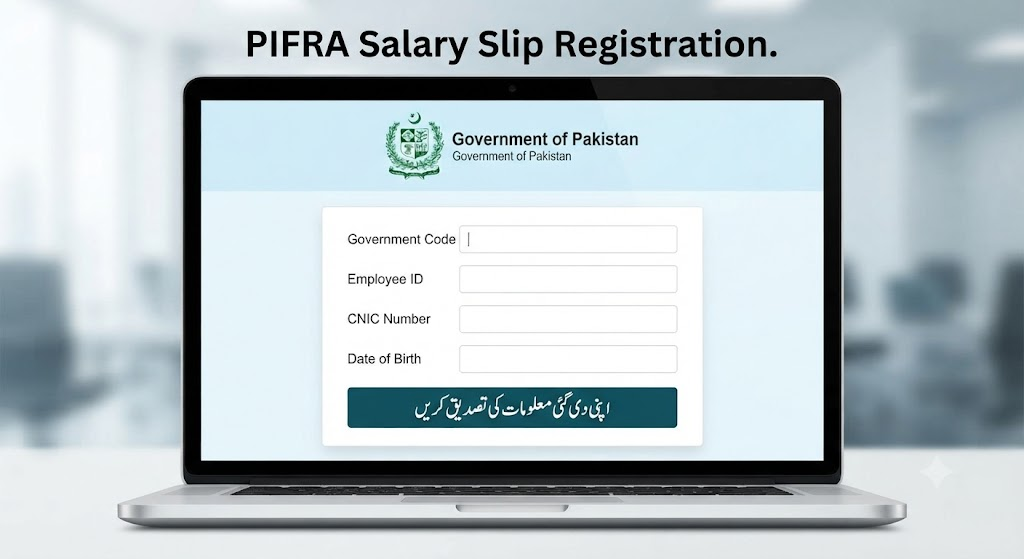
- Re-Activate / Re-Register: Re-enter your details accurately on the PIFRA sign-up page:
- Government Code: (e.g., F for Federal, P for Punjab, S for Sindh, KP for Khyber Pakhtunkhwa, B for Balochistan, AJK for Azad Jammu Kashmir, etc.)
- Personal Number: (Your official employee ID number)
- CNIC Number: (13 digits without dashes)
- Date of Birth: (Format: YYYY-MM-DD)
- Mobile Number: (Registered in your name)
- Confirm Activation: Open the verification link sent to your email to complete activation.
Method B: Check Email Filters and Spam Folders
Automated emails sent in bulk to tens of thousands of users can sometimes trigger anti-spam filters in commercial email services like Gmail, Yahoo, or Outlook.
- Check your Spam, Junk, or Promotions tab.
- Look for emails sent from official PIFRA domains.
- If found, mark the email as “Not Spam” or add the sender address to your safe contacts list so future slips land straight into your main inbox.
Method C: Contacting Support & AGPR Helpline
If self-service options do not solve the issue, reach out directly to the PIFRA / AGPR helpline or visit your local District Accounts Office. Have your Personal Number, CNIC, and current mobile number ready so the support staff can inspect your account status on the database backend.
4. Special Note for Pensioners (Civil & Postal Services)
Many retirees—including postal pensioners and former civil servants—frequently ask whether pension slips are delivered through the PIFRA system.
Yes, pensioners can also register to receive electronic monthly pension statements. However, pensioners should keep two important factors in mind:
- Life Certificate Verification: Pension dispatches depend on active status updates from your paying bank branch or District Treasury. If your life certificate or non-marriage certificate is pending at the bank, your pension process may pause, halting the generation of the slip.
- Registration Procedure: Pensioners must ensure they select the appropriate pension pay code during PIFRA sign-up to map their pension book/account correctly.
5. Why Timely Delivery Matters & System Improvements Needed
Receiving timely salary slips and payment change alerts is not merely a formality—it is a basic operational requirement for civil servants and pensioners. Monthly pay slips are required for:
- Verifying income tax withholdings and deductions.
- Submitting bank loan applications, credit facilities, or visa documentation.
- Tracking allowance adjustments, annual increments, and pay scale upgrades.
While digital governance platforms like PIFRA represent a major leap forward in reducing paper consumption and administrative overhead, ongoing infrastructure upgrades, transparent notification channels, and prompt helpdesk support are essential to ensure that no employee is left in the dark regarding their monthly hard-earned income.

Summary Checklist for Quick Reference
| Problem | Likely Cause | Recommended Action |
| Registered new email, but no slips arrive | Old email still locked in AG Office master record | Visit Accounts Office / AGPR to delimit old email, then re-register online. |
| Slips missing for 3–4 months (e.g., Dec–March) | System maintenance / upgrade in progress | Wait for server batch release post-upgrade, or perform account re-activation. |
| Randomly stopped receiving slips | Spam filter blocking or session glitch | Check Spam folder, or Unsubscribe and Re-activate your account. |
| Pensioner slip missing | Account unverified or bank status pending | Verify pension status / Life Certificate with your bank/Treasury. |
Your old email must first be delimited (deleted) from the backend database by your AG / Accounts Office before the new email can be activated.
Delivery was paused due to backend system updates and server maintenance; pending slips are automatically sent once maintenance completes.
Unsubscribe your current email on the PIFRA portal, wait 24–48 hours for system clearing, and then re-register with your credentials.
Yes, retirees can receive pension slips, provided their life certificate and pension status remain active at their paying bank or treasury.