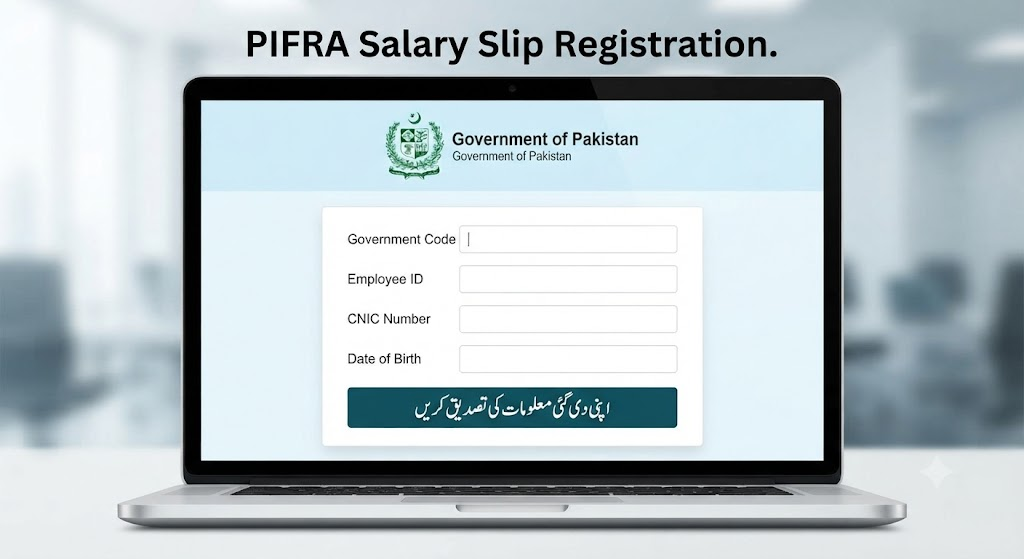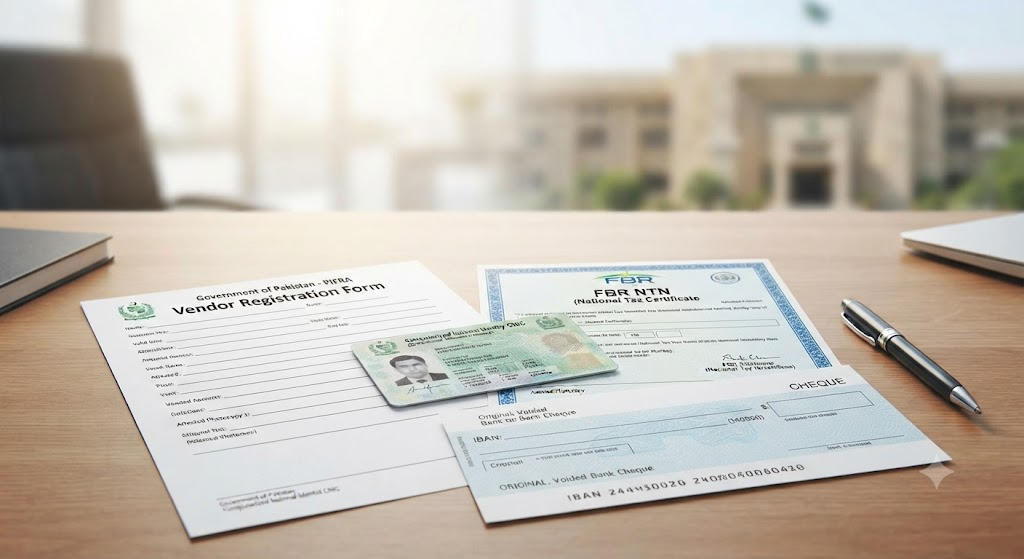

The Project to Improve Financial Reporting & Auditing (PIFRA) system—managed under the Financial Accounting & Budgeting System (FABS) and the Controller General of Accounts (CGA), Pakistan—has streamlined monthly payslip delivery for public sector employees. Through this digital framework, government personnel automatically receive their detailed monthly salary slips directly in their email inbox.
However, many employees face issues when their registered email address becomes inaccessible, inactive, or compromised. Because the PIFRA database links one unique Personnel Number and CNIC to a single primary email address, changing your registered mail account requires a specific procedure.
This guide details the process for updating your email ID on the PIFRA system, unregistering an old address, and configuring your new mail inbox for payslip delivery.
Why You Need to Update Your PIFRA Email
Your PIFRA-registered email serves as the primary channel for receiving confidential government pay records. Updating your email address is necessary in several scenarios:
- Lost Access to Email: Forgetting your password or losing two-factor recovery access to your old Google, Yahoo, or Microsoft account.
- Deactivated Inboxes: Domain changes or deactivation of corporate/institutional email accounts previously assigned to you.
- Typographical Errors During Initial Sign-Up: Misspelling your domain or username during your first online registration, preventing payslip delivery.
- Security & Privacy: Switching to a personal, secure email account to protect sensitive financial records.
Important Pre-Registration Rule
Unlike standard web applications, the PIFRA public portal does not feature a direct self-service “Edit Profile” or “Update Email” button on its frontend user dashboard.
┌────────────────────────────────────────────────────────┐
│             PIFRA Email Update System                  │
├────────────────────────────────────────────────────────┤
│  [Step 1] Request Unsubscription / De-linking          │
│           (Via Official Support Email or Phone)        │
│                           │                            │
│                           ▼                            │
│  [Step 2] Receive System Disconnection Confirmation    │
│                           │                            │
│                           ▼                            │
│  [Step 3] Re-Register Profile with New Email Address   │
└────────────────────────────────────────────────────────┘
To update your record, you must de-link (unsubscribe) your current registered email address from your Government Personnel Number before registering a new email address.
Step 1: Unsubscribing Your Old Email Address
You can clear your previous email binding from the central FABS database using two primary channels.
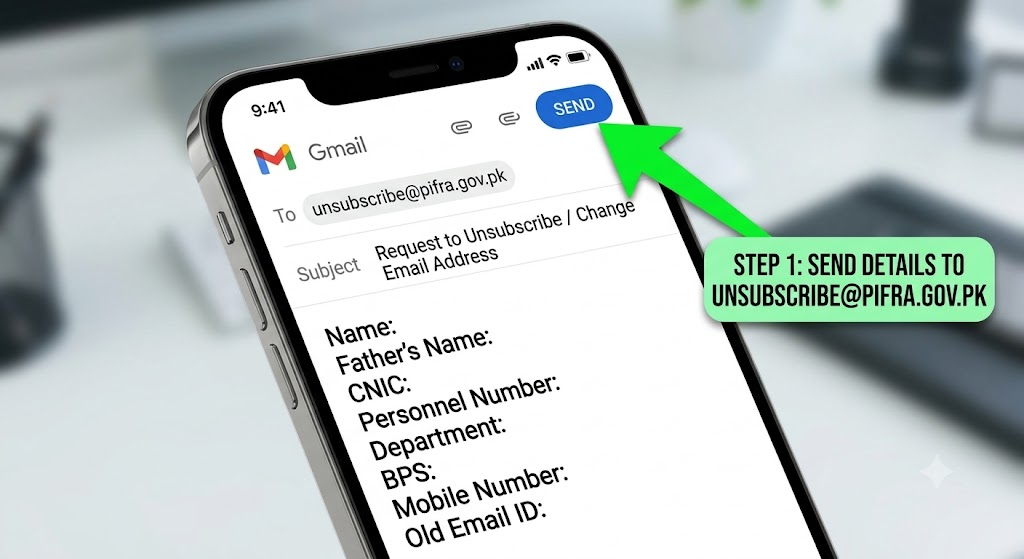
Method A: Submitting an Unsubscribe Request via Official Email
If you still have access to an alternate email address, send an official service request to the PIFRA technical support team.
- Official Support Address:
unsubscribe@pifra.gov.pk - Recommended Subject Line:
Request to Unsubscribe/Change Email Address for Salary Slip - [Your Personnel Number]
Required Information in Email Body:
To help the support staff verify your record quickly, include the following parameters in your message:
- Full Employee Name: (As listed on your official service record)
- Father’s Name:
- CNIC Number: (13-digit identity number without dashes)
- Personnel Number (P.No / Employee ID): (8-digit official number)
- Department / Government Type: (e.g., Federal, Punjab, Sindh, KPK, Balochistan, Police, Education)
- Pay Scale / BPS: (e.g., BPS-16, BPS-17)
- Mobile Contact Number:
- Old Registered Email Address: (Mention your previous ID, or state “Unknown/Inaccessible” if forgotten)
- Reason for Request: (e.g., “Lost access to old inbox” or “Incorrect email entered during initial signup”)
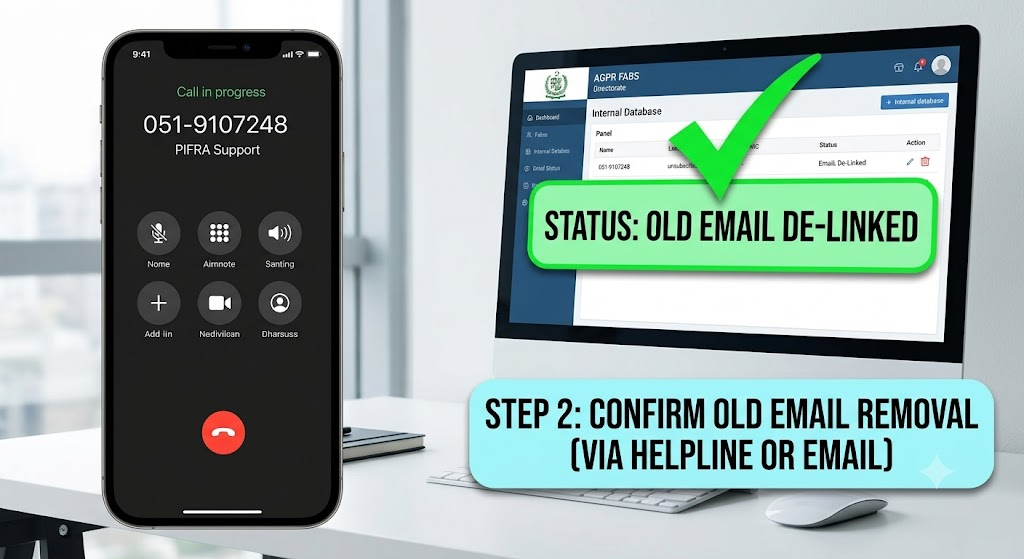
Method B: Directly Contacting PIFRA Help Desk Support
If you prefer immediate processing or need help de-linking your record, contact the FABS Directorate directly.
- Helpline Phone Number:
051-9107248 - Office Location: FABS Directorate, AGPR Complex, Sector G-8/4, Islamabad, Pakistan
- Alternative Support Channel: Visit your local District Accounts Office (DAO) or Provincial Accountant General (AG) Office (Pre-Audit / Computer Cell Section).
Verification Tip: When calling the helpline or visiting the accounts office, keep your physical CNIC and latest paper pay slip nearby. The support representative will confirm your identity details before clearing your record from the database.
Method C: How to Unsubscribe from PIFRA Salary Slip Emails
If you no longer want to receive PIFRA salary slips in your email, you can request an unsubscribe by following these simple steps.
Unsubscribe Through Email
- Open the email application you normally use, such as Gmail or another email service.
- Create a new email and send your unsubscribe request to the official PIFRA unsubscribe email address.
- In your message, provide the required employee details, such as your full name, government code, and employee/personal number.
- Clearly mention that you want to stop receiving PIFRA salary slip emails.
- Send the email and wait for your request to be processed.
Once your request has been completed, PIFRA salary slip notifications should no longer be sent to the registered email address.
Unsubscribe Through the PIFRA Website
You may also check the PIFRA website for available salary-slip services and registration options.
- Open a reliable web browser on your computer or mobile device.
- Visit the official PIFRA website.
- Navigate to the Services section.
- Look for the Salary Slip/Pay Slip service from the available options.
- Open the relevant salary-slip page or registration section.
- Check whether an unsubscribe or email-related option is available and follow the instructions provided there.
Step 2: Registering Your New Email Address
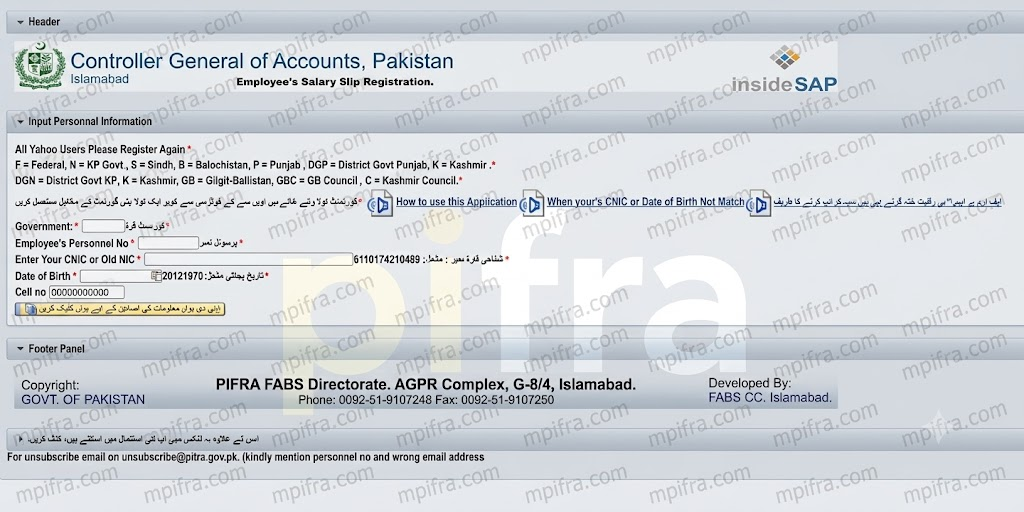
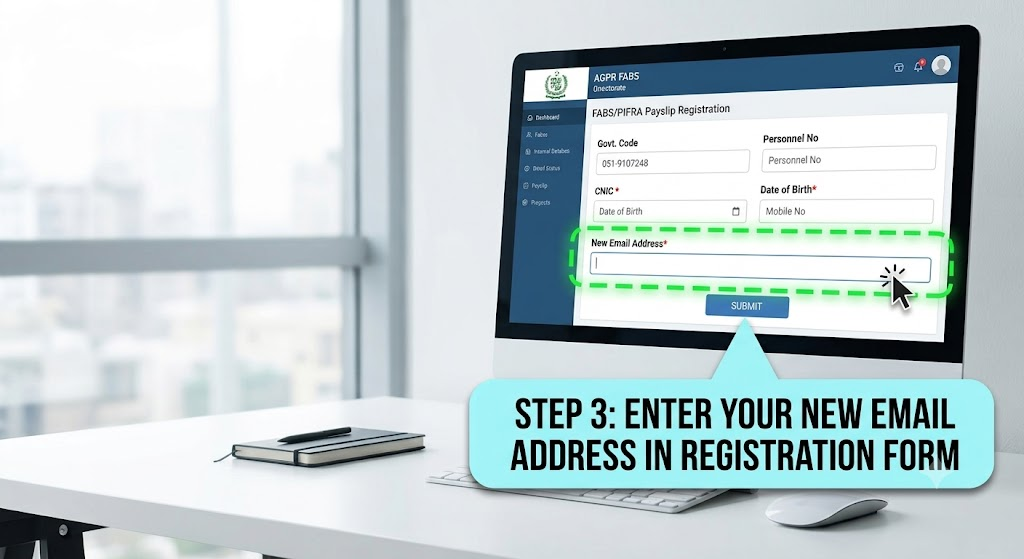
Once the PIFRA support desk confirms that your old email has been unlinked from your Personnel Number, you can complete the online registration process with your new email address.
+-----------------------------------------------------------------+
|            PIFRA / FABS Online E-Pay Slip Services             |
+-----------------------------------------------------------------+
|  Government Code [_____]  (e.g., F, P, S, K, B)                |
|  Personnel No    [______________________]                       |
|  CNIC No         [______________________]                       |
|  Date of Birth   [ DD / MM / YYYY ]                             |
|  Mobile No       [______________________]                       |
|  New Email ID    [______________________]                       |
|  Confirm Email   [______________________]                       |
|                                                                 |
|                  [ SUBMIT REGISTRATION ]                        |
+-----------------------------------------------------------------+
Registration Walkthrough:
- Access the Official Portal: Open your browser and navigate to the official FABS/PIFRA Web Services registration page (
fabs.gov.pkor the dedicated CGA web services portal). - Select Government Service Sector: Pick your relevant government jurisdiction code:
F– Federal GovernmentP– Punjab ProvinceS– Sindh ProvinceK– Khyber Pakhtunkhwa (KPK)B– BalochistanGB– Gilgit-BaltistanAJK– Azad Jammu & Kashmir
- Enter Identification Details: Type your 8-digit Personnel Number, 13-digit CNIC, Date of Birth, and registered Mobile Number into the designated fields.
- Provide New Email Details: Enter your New Email Address accurately. Re-type it in the confirmation box to prevent typos.
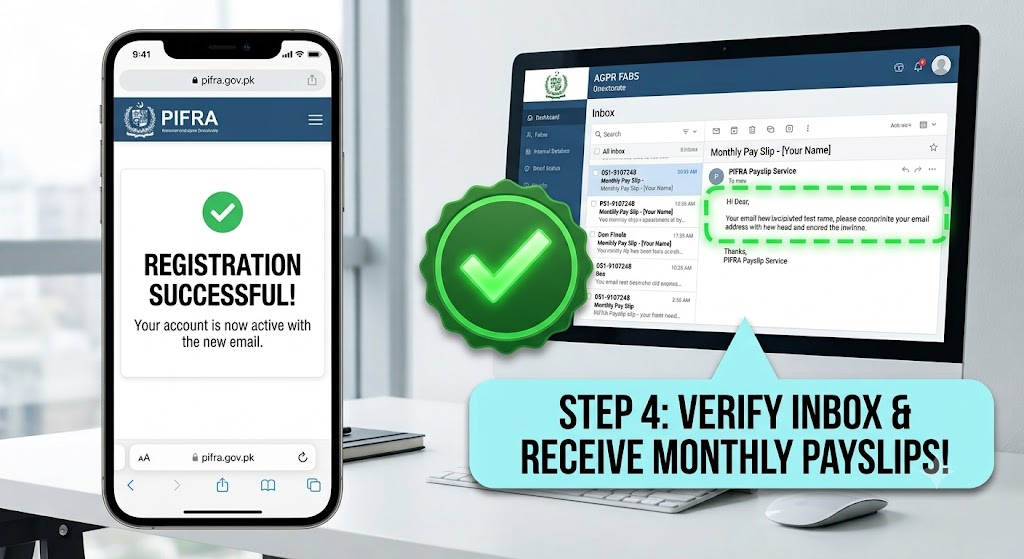
- Submit and Verify: Click Submit. The portal will process your request and send a verification test mail or confirmation alert indicating that your record has been registered.
Troubleshooting & Verification Checklist
To ensure your monthly salary slip arrives without delay after updating your email address, review these administrative steps:
| Potential Problem | Primary Root Cause | Recommended Action |
| “CNIC / Personnel No Already Registered” | The old email address has not been completely deleted from the database. | Call support at 051-9107248 to request manual database deletion. |
| No Payslip Received After Registration | The email was flagged by spam/junk filters or placed in promotions. | Check your Spam/Junk folder. Mark emails from pifra.gov.pk as “Not Spam.” |
| “Invalid Data” Rejection Error | Date of Birth or CNIC does not match the official SAP-ERP record. | Verify your exact profile details on your physical pay slip issued by your DDO. |
| Unresponsive Support Inbox | High email volume at support queues. | Allow 48–72 business hours for email replies, or call the helpline during working hours. |
Direct Technical Support Contacts
For official administrative assistance, use these verified government channels:
- Helpline Desk: 051-9107248
- Unsubscribe Support:
unsubscribe@pifra.gov.pk - Central Office: FABS Directorate, AGPR Complex, Sector G-8/4, Islamabad, Pakistan
- Official Web Address: fabs.gov.pk
Frequently Asked Questions (FAQs)
Yes. You can draft and send the unsubscribe email request from your phone’s email app or call the helpline directly. Once your record is cleared, complete the online registration steps using your mobile browser.
Manual email requests sent to unsubscribe@pifra.gov.pk typically take 2 to 5 business days to process. Phone calls made to the helpline (051-9107248) during standard office hours can clear records faster.
If you enter an incorrect email address during registration, the system will attempt to send salary slips to that non-existent or wrong address. If this happens, you must submit a new unsubscribe request to clear the incorrect address and re-register.
No. Updating your PIFRA email address only changes where your digital pay slips are delivered. It has no effect on your bank direct deposits, salary processing, or official payroll records maintained by the AGPR or District Accounts Offices.